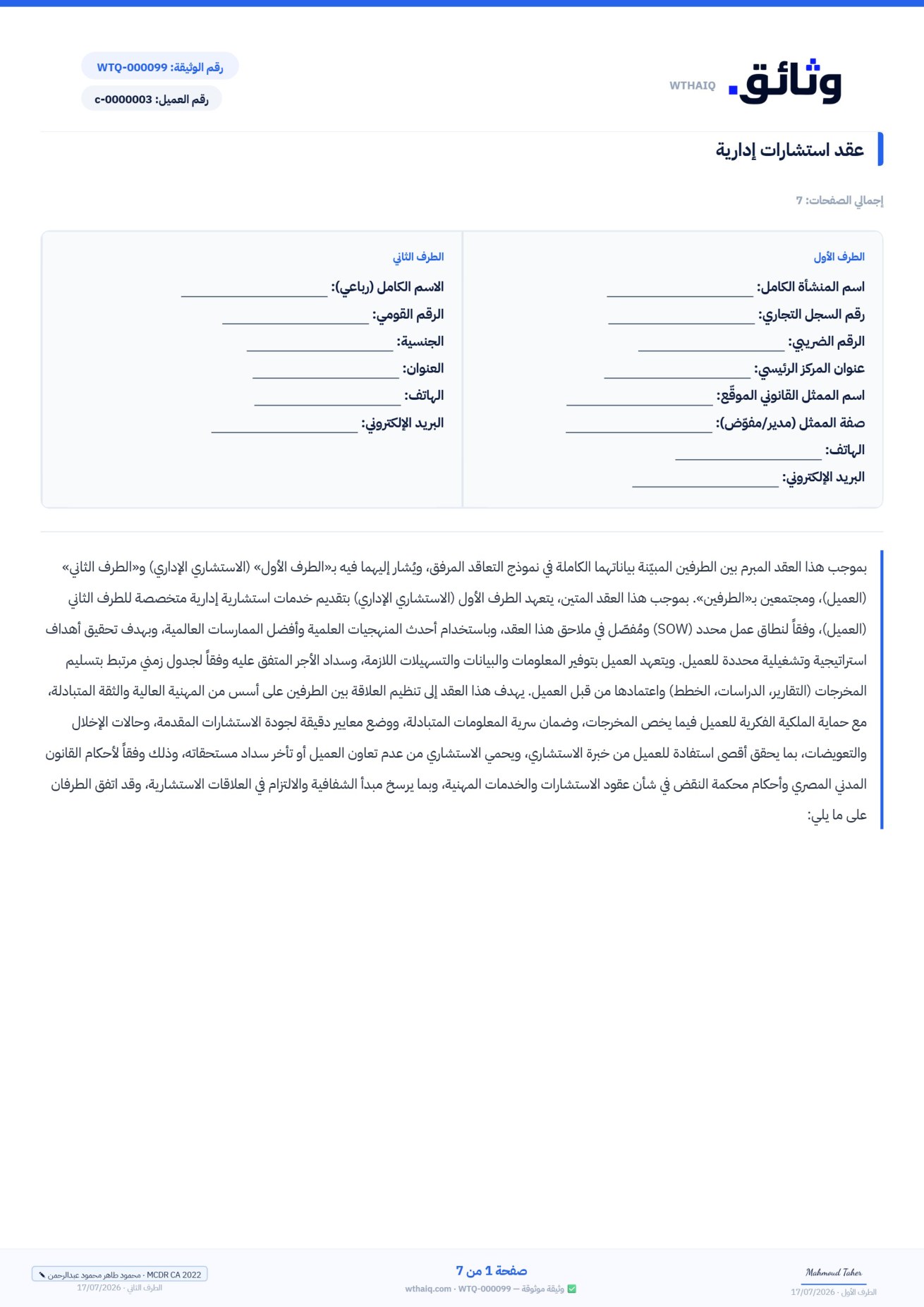
Got the contract ready as a PDF? Turn it into a document that gets signed and tracked in minutes.
You do not need to retype a single letter. Upload any PDF contract you have — from your lawyer, from your client, or an old printed one — drag the signature and data fields onto it wherever suits you, set the signers and send. Back comes a binding contract authenticated with a completion certificate and a digital fingerprint.
It accepts any PDF file Drag and drop, no typing Full authenticated signing
Wthaiq editor — PDF import
Drag a field onto the file
Signature
Date
Name
ID number
Seal
Saved — ready to send First party's name Date of drafting Company seal First party's signature
Any PDF fileWhatever its source or format
Seconds to uploadOpens ready to edit straight away
Drag and dropFields anywhere, with no typing
Full authenticationA completion certificate and a digital fingerprint
No retyping
Your contract exactly as it is — only now it is ready to sign.
Most contracts reach you already written: a PDF from the lawyer, a designed quote, or an agreement signed once before. Instead of printing, signing, scanning and emailing it back, Upload the file as it is, drag the signature and data fields onto it, andLet the platform run the rest of the journey: sending, reminders, verification and authenticated archiving.
It accepts any PDF
Upload any PDF contract, whatever its source — a Word export, a scanned document or a designed file — it opens inside the editor ready for you to add your fields right away.
Drag signature fields anywhere
A signature, date, name or number field — grab it from the panel and drop it exactly where you want on your page, then size it however you like.
Fields for each party
Assign every field to the party responsible for it — the first party's signature, the second party's details, the witness's stamp — and each one sees and fills only their own fields.
Sign with the strength you choose
Set the right signature strength for each signer: an OTP verification code, identity verification with an official document and a face check, or a digital signature with an accredited token.
A completion certificate and a digital fingerprint
As soon as the signatures are complete, your imported file gets a completion certificate, a full event log, a SHA-256 fingerprint and a public verification page with a QR code.
Archiving and tracking
Your contract is kept on your dashboard with its status and its date, you track who has signed and who has not, and alerts reach you — all your imported files in one organized place.
The full journey
From a static file to a binding contract — in 4 steps.
1 Upload a PDF file
Drop the contract file you already have into the editor — from your lawyer, from your client, or an old version. It uploads in seconds and opens as ready pages you add your fields to, without touching the original text.
Drag and dropOpens instantlyKeeps the file's layout intact
2 Drag signature and data fields
Grab a “signature”, “date” or “name” field from the side panel and drop it anywhere on your page. Adjust the size, and repeat for every box that needs filling or signing — without typing a single character.
Signature and stampText, date and numberAnywhere on the page
3 Set the signers and send
Add the parties, set each one's role and choose the strength of their signature (electronic, identity verification or token). Hit send — every party receives a secure link, opens it, fills in their fields and signs from any device.
Signing order3 signature strengthsA link for each party
4 Receive the authenticated copy
As soon as the signatures are complete, the very file you imported comes back to you — but binding and authenticated: a completion certificate with the signers' details, a digital fingerprint, and a QR code leading to a public verification page anyone can check.
Completion certificateSHA-256 fingerprintPublic verification by QR code
Drop the PDF file here
Upload your finished contract in seconds
PDFUp to 10MBSeveral pages
Signature Date Name Seal
Date Drag the signature here
MMahmoud (you)Signs firstSign
AYour clientSigning with identity verificationAwaiting their turn
SThe supplierSignature with an approved tokenThird
Send for signature
An authenticated copy, ready
Completion certificateSHA-256Public verification
It works with all your files
Any PDF you have — gets uploaded and gets signed.
Ready-made PDF contracts
Your pre-drafted contracts as PDFs — upload them, add the signature fields and send them straight to the parties.
Quotations
Turn a designed quote into a signed document with the client’s approval — instead of scattered “agreed” messages.
Supplier agreements
Supply and partnership agreements that arrive as PDFs — sign them with a clear order of parties and signature strengths.
Documents from your lawyer
Your lawyer's finished wording is uploaded exactly as it is, unchanged — you add the fields and send it for authenticated signing.
Quick guide
Everything you need to know about PDF import.
How does PDF import work?
You start by uploading your finished PDF to the editor, either by drag and drop or by choosing it from your device, and its pages are displayed exactly as they are, with no change to the original text or formatting. Then you open the side field panel and drag in whatever you need — signature, date, name, number, or seal — place it anywhere on the page and adjust its size. When you are done you select the signers and send, and the system takes care of delivering the file to every party, collecting the signatures, and issuing the final verified copy automatically — all without retyping the content of the contract.
Can fields be assigned to different parties?
Yes, and that is the heart of the idea. Every field you place on the file can be assigned to a specific party to the contract: a signature field for the first party, a data box for the second party, and a seal for the witness or guarantor, for example. When the contract is sent, each signer sees only their own fields and fills them in from their device when their turn comes, so their details appear in exactly the right place on the page automatically. This prevents the common errors of manual completion — a signature in the wrong box or missing details — and keeps the signing path orderly and clear for every party.
Does signing an imported PDF carry the same legal standing?
Yes — evidentiary strength comes from the verification system, not from the source of the file. Whether you wrote the contract in the editor or imported it as a PDF, the file that completes signing receives exactly the same treatment: a unique document number, a completion certificate listing the signers’ details and the verification methods used, a full timestamped audit trail, and a public verification page with a QR code. On top of that comes a SHA-256 cryptographic fingerprint that breaks the instant the contract is altered after signing. The system is built on the electronic signature and electronic transactions laws in force, which is what gives your imported file evidentiary weight that is hard to deny.
Which file formats are supported, and what are the size limits?
Direct import is designed for PDF files from any source: exported from Word or design software, scanned from a paper copy, or exported from any other system — and multi-page files are supported, so you can place fields on any page. The usual file size limit is 10 MB, which is ample for long contracts with images and attachments. If your file is in Word format you can import that too and it becomes fully editable text, while a PDF is uploaded exactly as it is and the fields are built on top of it to preserve its original approved appearance.
Quick questions
FAQ before your first imported file.
Do I have to retype the contract after uploading it? +
Not at all — that is the whole point. The PDF file is uploaded exactly as it is, with its original text and formatting, and all you do is drag the signature and data fields onto it where they belong. No copying, no pasting, no rewriting.
Can I add more than one signature field for different parties? +
Yes — you add as many fields as you need and assign each one to a specific party. Every signer sees only their own fields and fills them in when their turn comes, and the data lands in the right place on the file automatically.
Does an imported file get the same authentication? +
Yes — exactly the same verification path: a unique document number, a completion certificate with signer details and verification methods, an event log, a SHA-256 fingerprint, and a public verification page with a QR code. There is no difference between an imported file and a contract written on the platform.
Which file formats and size limits apply? +
Direct import of PDF files from any source (exported, scanned, multi-page), up to 10 MB. You can import Word files too, and they convert into fully editable text.
Does the second party need an account in order to sign? +
No — they receive a secure signing link by email, open the file, fill in their fields and sign from any device. And with the verification options (OTP / identity verification / token) you make sure the person who signed is the right one.
Does the look of my original file change? +
No — the PDF is preserved exactly as it is, and fields are added as a layer on top without touching the text or the design. The final version comes out looking just like your file, with the signatures and authentication added on top.
Upload your first contract free
Your file is ready — Go on, upload it now.
Upload your first PDF contract and drag your fields onto it free of charge, with no retyping.